The Hetzner WHMCS Module: A Complete Guide to Automated Server Management
Introduction: The Automation Imperative in Modern Hosting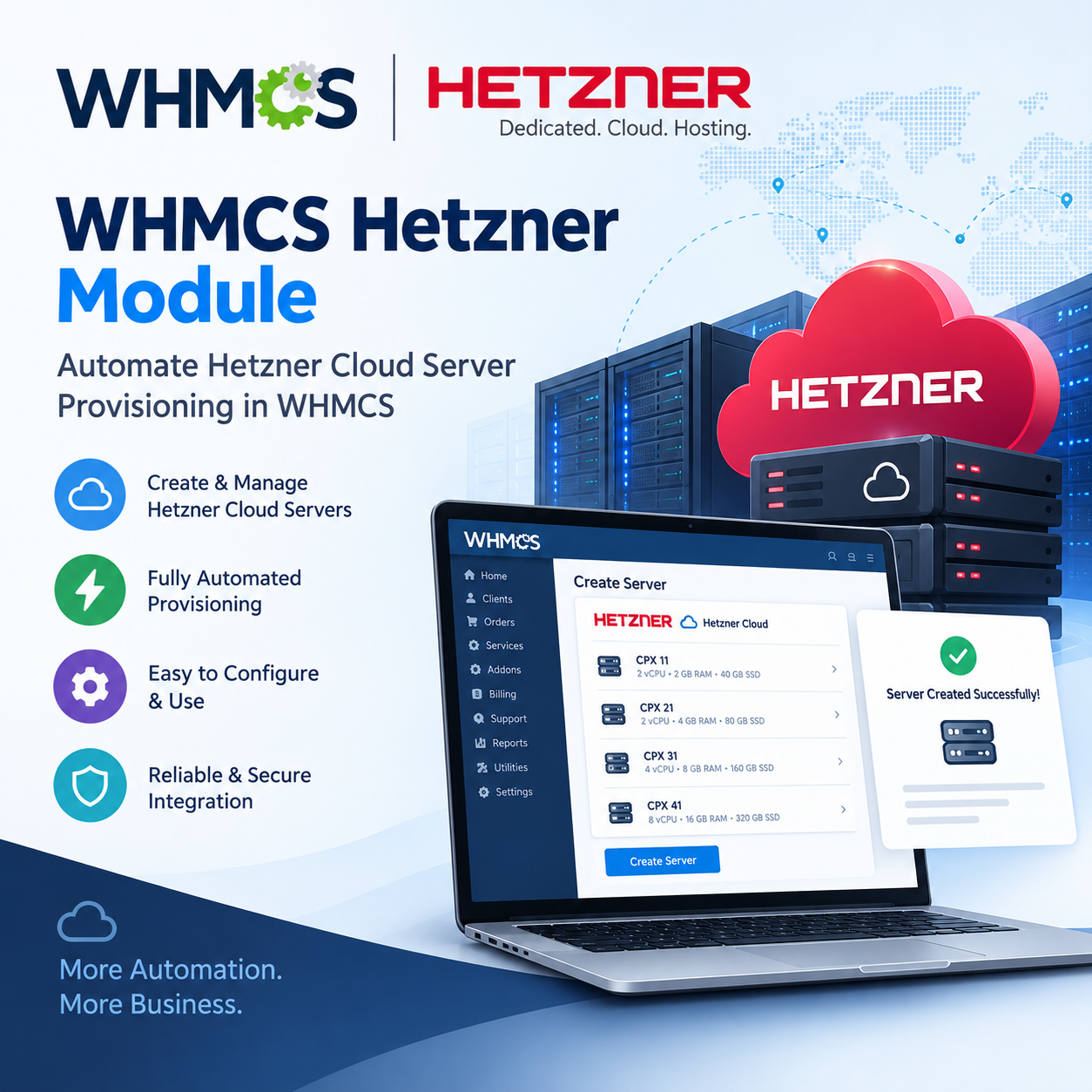
The hosting industry operates on a simple but unforgiving principle: speed and reliability win. When a customer purchases a server at 11 PM, they expect it to be online now—not when your support team wakes up the next morning. Every manual intervention—logging into a provider console, copying an IP address, opening a ticket for a simple reboot—is not just an operational cost; it is a direct erosion of your profit margin and your customer's experience.
This is where the combination of Hetzner, one of the most cost-effective and API-friendly infrastructure providers, and WHMCS, the industry-standard billing and automation platform, becomes a strategic advantage. But raw APIs and billing systems do not talk to each other out of the box. A bridge is required. That bridge is the Hetzner WHMCS Module.
Part 1: Why Use a WHMCS Module at All?
Before diving into Hetzner specifically, it is essential to understand why a provisioning module is not a luxury—it is a foundational component of a scalable hosting business.
1. Eliminating the "Manual Tax"
Every time a staff member logs into an external control panel to create, reboot, or reinstall a server, you are paying a "manual tax." This tax manifests as support ticket queues, delayed deployments, human error, and ultimately, customer churn. Automation through a WHMCS module turns these recurring manual tasks into background processes that execute instantly, 24/7, without human intervention.
2. Unifying Billing and Provisioning
WHMCS is built to automate invoicing, recurring billing, payment collection, and service management. Without a provisioning module, your billing system and your infrastructure are disconnected. A module closes that loop: when an invoice is paid, the server is automatically created; when a payment is overdue, the server is automatically suspended. This synchronization is the difference between a hobby and a business.
3. Empowering the Client (and Reducing Your Load)
Modern customers expect self-service. They do not want to open a ticket to reboot their own server or reset a root password. A WHMCS module brings the essential controls of the Hetzner control panel directly into your client area. This single change can eliminate a massive volume of routine support tickets, allowing your team to focus on higher-value tasks.
Part 2: Introducing the Hetzner WHMCS Module
The Hetzner WHMCS Module is a provisioning and automation layer that connects your WHMCS installation to Hetzner's infrastructure via its official APIs—specifically the Hetzner Cloud API and the Hetzner Robot API for dedicated servers.
Rather than replacing WHMCS or Hetzner, the module acts as the intelligent middleware that translates a paid WHMCS invoice into a running server, and a client's click in the WHMCS client area into an API call to Hetzner. The result is a fully unified experience where the customer never needs to know that Hetzner exists—they interact entirely within your brand.
It is important to note that the ecosystem is not monolithic. Different modules exist, each optimized for specific Hetzner product lines:
-
Hetzner Cloud Modules: Focused on virtual machines (VPS), floating IPs, snapshots, and cloud-native features.
-
Hetzner Dedicated Server Modules: Purpose-built for physical servers managed via the Hetzner Robot API, handling hardware-level operations like power cycles, rescue systems, and OS reinstalls.
-
Unified / Datacenter Modules: Designed to manage both cloud and dedicated resources from a single interface, sometimes even including Storage Boxes.
Part 3: Complete Feature Breakdown
The feature set of a mature Hetzner WHMCS module is extensive. Below is a structured breakdown of what administrators and clients can expect.
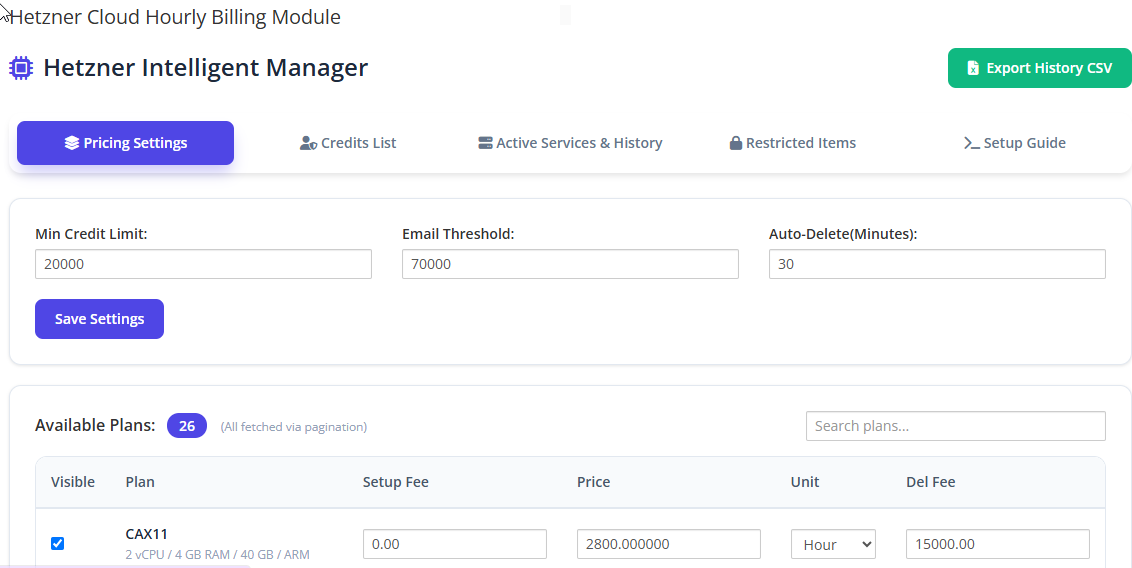
A. Admin Area Features (Back-Office Control)
The administrative side is where the module proves its operational value, providing full lifecycle management without ever leaving WHMCS.
| Feature Category | Capabilities |
|---|---|
| Server Lifecycle | Create, Suspend, Unsuspend, and Terminate servers directly from the WHMCS admin panel. |
| Product Configuration | Define Location/Data Center, OS Image, Server Type, and resource limits (CPU, RAM, Disk) at the product level. |
| Client Area Permissions | Granularly control which features (e.g., console access, rebuild, firewalls) are visible to clients on a per-product basis. |
| Automation Scripts | Provide custom cloud-init, Bash, or Shell scripts to be executed automatically during instance creation. |
| Server Import | Discover and import existing Hetzner servers (created before the module was installed) and link them to WHMCS services. |
| Synchronization | Automatic synchronization of server status, IP addresses, and resource usage from Hetzner to WHMCS, with configurable intervals and detailed logging. |
| Pricing Management | Automatic product and price synchronization from the Hetzner API, ensuring retail prices always reflect wholesale changes plus your markup. |
| Reverse DNS (PTR) | Set and manage PTR records for primary and assigned IP blocks directly from the admin interface. |
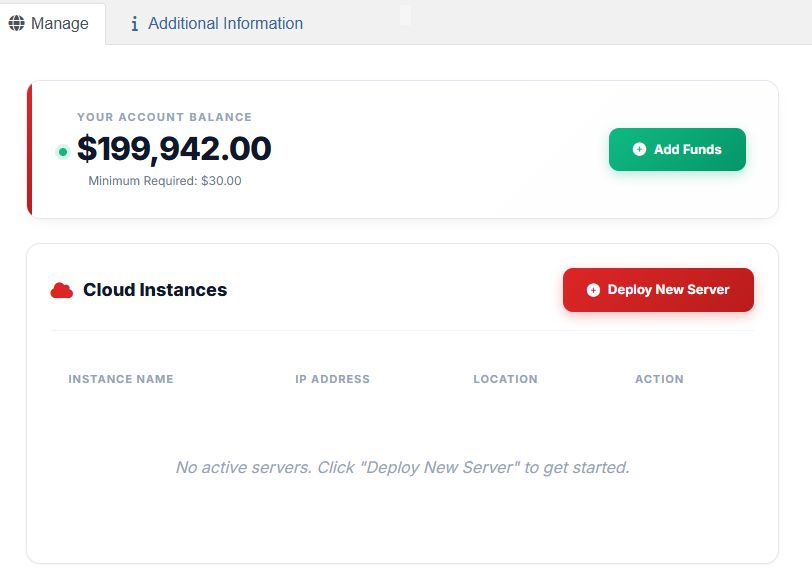
B. Client Area Features (Self-Service Power)
The client area is where the module transforms the customer experience. By exposing safe, controlled controls, it turns routine support requests into self-service actions.
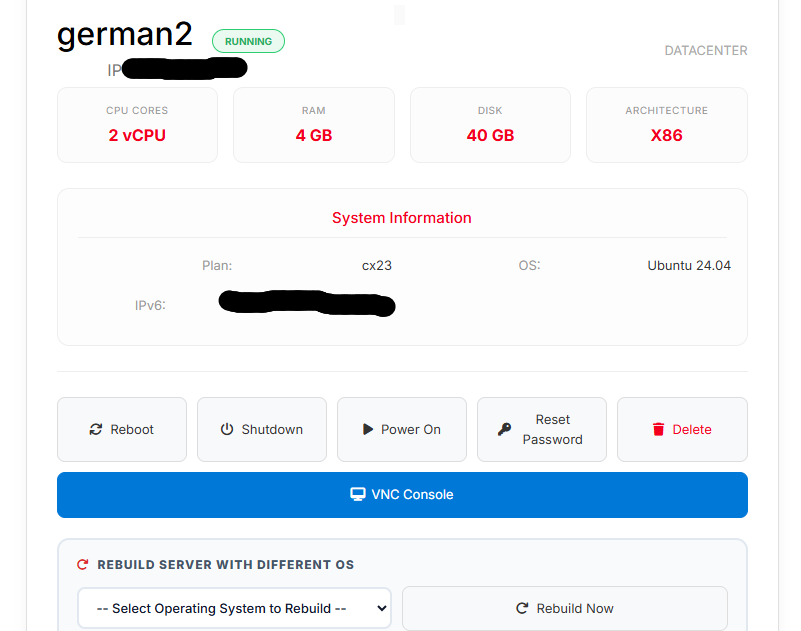
-
Power Management: Start, Shutdown, Reboot, Hard Reset, and Power Off the server instantly.
-
Console & Rescue Access: Access a noVNC / KVM console for out-of-band management, and activate Rescue Mode for emergency repairs or OS reinstalls.
-
OS Management: Rebuild the server with a chosen OS distribution and Mount/Unmount ISO images (including Windows ISOs) for custom installations.
-
Network Management: View assigned IPv4 and IPv6 addresses, manage Floating IPs (including reverse DNS), and configure firewall rules and private networks.
-
Backups & Snapshots: View, create, restore, and delete automatic backups and snapshots within predefined size limits.
-
Traffic & Performance: View real-time bandwidth usage graphs and detailed CPU/Memory/Network performance graphs directly within WHMCS.
-
Password & Access: View the current root password and reset it without opening a ticket.
Part 4: The Strategic Benefits
The feature list is impressive, but the benefits—the tangible business outcomes—are what justify the investment.
1. Drastic Reduction in Support Load
Every ticket that asks "please reboot my server" or "reset my root password" is a cost. By moving these actions to the client area, the module effectively eliminates an entire category of support tickets. One analysis estimates that automating just power actions and rescue mode can save over 150 admin hours per year for a modest fleet of 40 servers. The module pays for itself with the first few servers it manages.
2. Instant, Error-Free Provisioning
Manual provisioning is slow and prone to human error (wrong location, wrong OS, forgotten IP). The module ensures that every server is deployed exactly as configured, instantly upon payment, with no variance. This consistency is the foundation of a reliable hosting product.
3. True Billing-Infrastructure Synchronization
The module enforces the financial discipline of your business. When a payment fails or an invoice is overdue, the server is automatically suspended. When the payment is settled, it is automatically unsuspended. You no longer rely on staff to manually chase non-payment; the system enforces it.
4. Competitive Pricing Agility
Hetzner frequently adjusts its pricing. A module with automatic price synchronization ensures that your retail prices adjust the same day Hetzner's wholesale prices change, preserving your margin without manual spreadsheet work. This agility allows you to pass savings to customers or maintain profitability without constant oversight.
5. A Premium, Branded Customer Experience
By keeping the customer entirely within your WHMCS client area, you reinforce your brand. They are not being sent to a third-party console. They see your interface, your branding, and your support system. This cohesive experience increases trust and reduces the friction that leads to churn.
6. Broad OS and Application Coverage
The modules support an extensive catalog of operating systems and applications, from standard Linux distributions (Ubuntu, Debian, AlmaLinux, Rocky) and Windows Server (2012 R2 through 2022) to turnkey application images like Docker, GitLab, Nextcloud, pfSense, and Proxmox VE. This breadth allows you to cater to a wide range of customer use cases without custom development.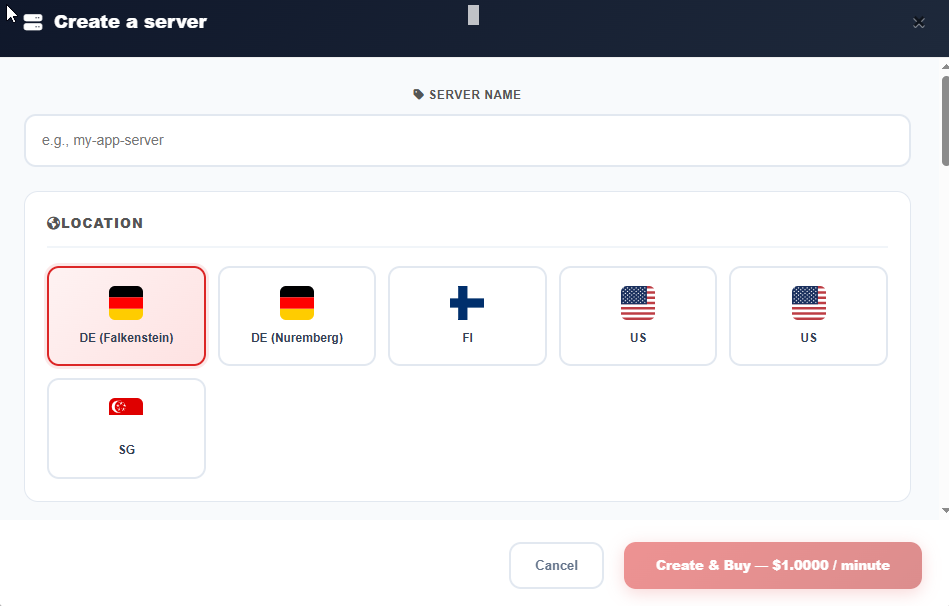
Part 5: Compatibility and Technical Considerations
A professional module is built to fit into a professional stack. When evaluating a Hetzner WHMCS module, ensure it meets your environment's requirements.
-
WHMCS Versions: Leading modules support the latest stable releases, typically WHMCS 8.x through 9.x (e.g., 8.7 to 9.0.3).
-
PHP: Compatibility with PHP 8.1, 8.2, 8.3, and 8.4 is standard for actively maintained modules.
-
IonCube Loader: Most commercial modules are encoded and require IonCube Loader v13 or v14 or later.
-
API Access: You will need active Hetzner Cloud API tokens and/or Hetzner Robot API credentials (username and password), depending on whether you are selling cloud or dedicated servers.
-
Themes: Compatibility with popular WHMCS themes like Six, Twenty-One, and Lagom ensures a seamless visual integration.
Conclusion: The Module as a Force Multiplier
The Hetzner WHMCS module is not merely a convenience—it is a force multiplier for your hosting business. It takes the raw power of Hetzner's infrastructure and the billing intelligence of WHMCS and fuses them into a single, automated, self-service engine.
By eliminating manual provisioning, automating financial enforcement, empowering clients with self-service controls, and keeping everything under your brand, the module allows you to scale your customer base without scaling your support team at the same rate. It transforms your operation from a reactive, ticket-driven model into a proactive, automated, and profitable platform. In an industry where margins are thin and expectations are high, that transformation is not optional—it is survival.